
Wherever you build,
it is already there.
A native block for the block editor, a native Elementor widget, and a shortcode for every other theme and builder.
- Block editor
- Elementor
- Shortcode
- Classic & block themes
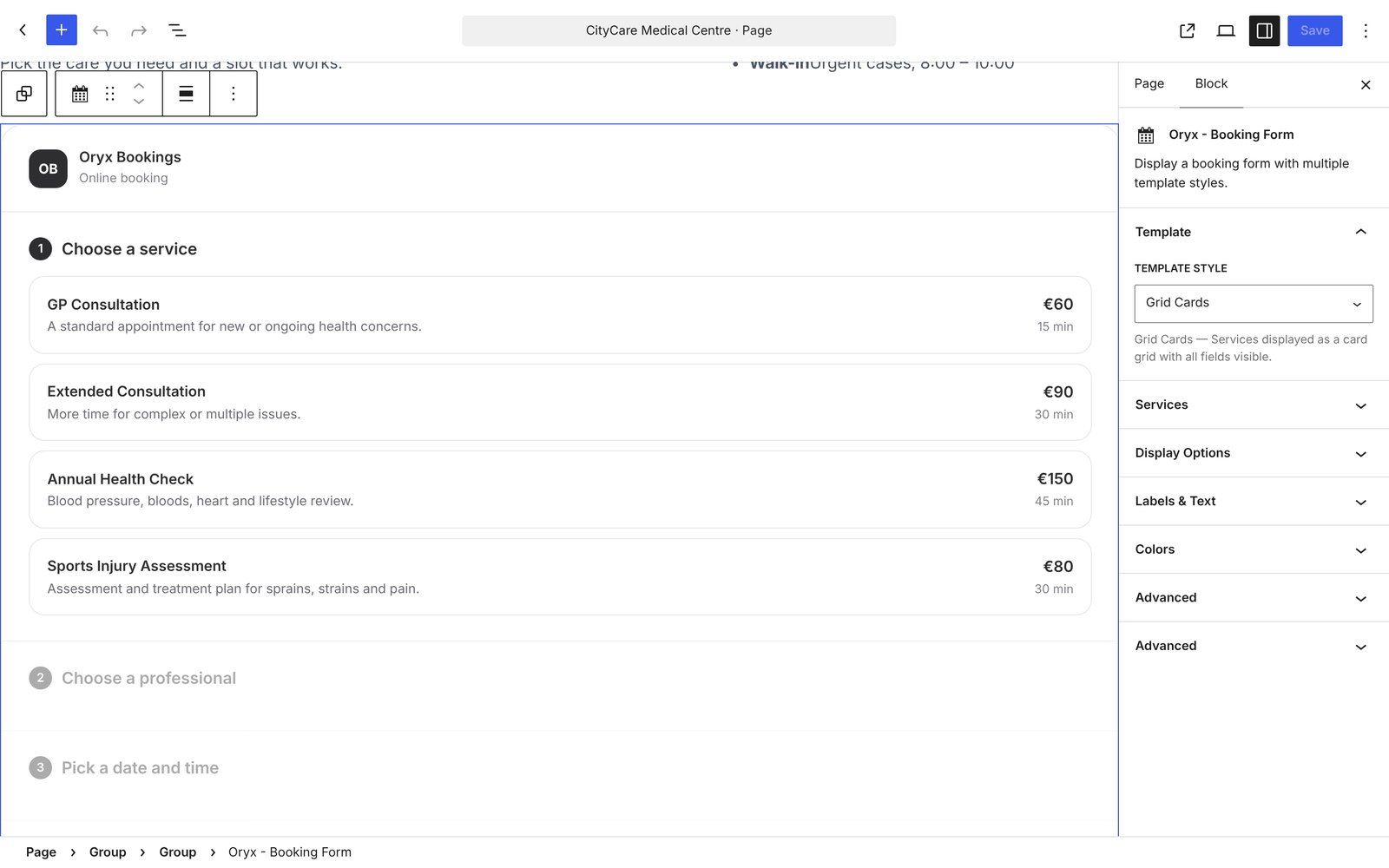
Same form.
Your favourite tool.
Each demo on this site says which one it uses. Open one to see it in a real page.
- Oryx – Booking Form blockLive preview in the editor, with design, colour, categories and labels in the block settings.MedicalBeautyLaw FirmCar Detailing
- Elementor widgetFound in the Oryx Bookings category, with content and style controls.DentalBarbershopVetPilates
- [oryx_bookings] shortcodeFor any theme or builder. The settings page includes a shortcode generator.
One line,
fully configured.
Design, colour, display options and labels are all shortcode attributes. To limit a form to certain categories or services, use the block or the widget.
[oryx_bookings template="stepper"]Pick the design: grid, stepper, accordion, card-flow, flat-split or focus-input.primary_color="#E11D2E"Your brand colour for buttons, selections and highlights.show_price="no"Show or hide images, descriptions, prices, durations and staff photos.currency="€" currency_position="before"Currency symbol and where it goes.time_format="24h"12 or 24-hour times.label_submit="Book now"Every label, the success message and a redirect URL.[oryx_bookings_my_bookings]A page where logged-in customers see their own bookings.
Hooks where
you need them.
oryx_bookings_booking_createdAction after a booking is saved, with the booking ID and data. Send notifications or sync other systems.oryx_bookings_form_configFilter the configuration of a booking form before it is printed.oryx_bookings_client_ipTell the plugin how to read the visitor IP behind a trusted proxy.window.OryxBookings.boot()Start forms that were added to the page after it loaded.
Free.
No limits, no sign-up.
Install it from WordPress.org, add your services and place the form on any page. Requires WordPress 6.0 and PHP 7.4.