
Your whole day.
One screen.
A calendar built for teams: a column for every person in day view, colours by status and drag and drop to reschedule.
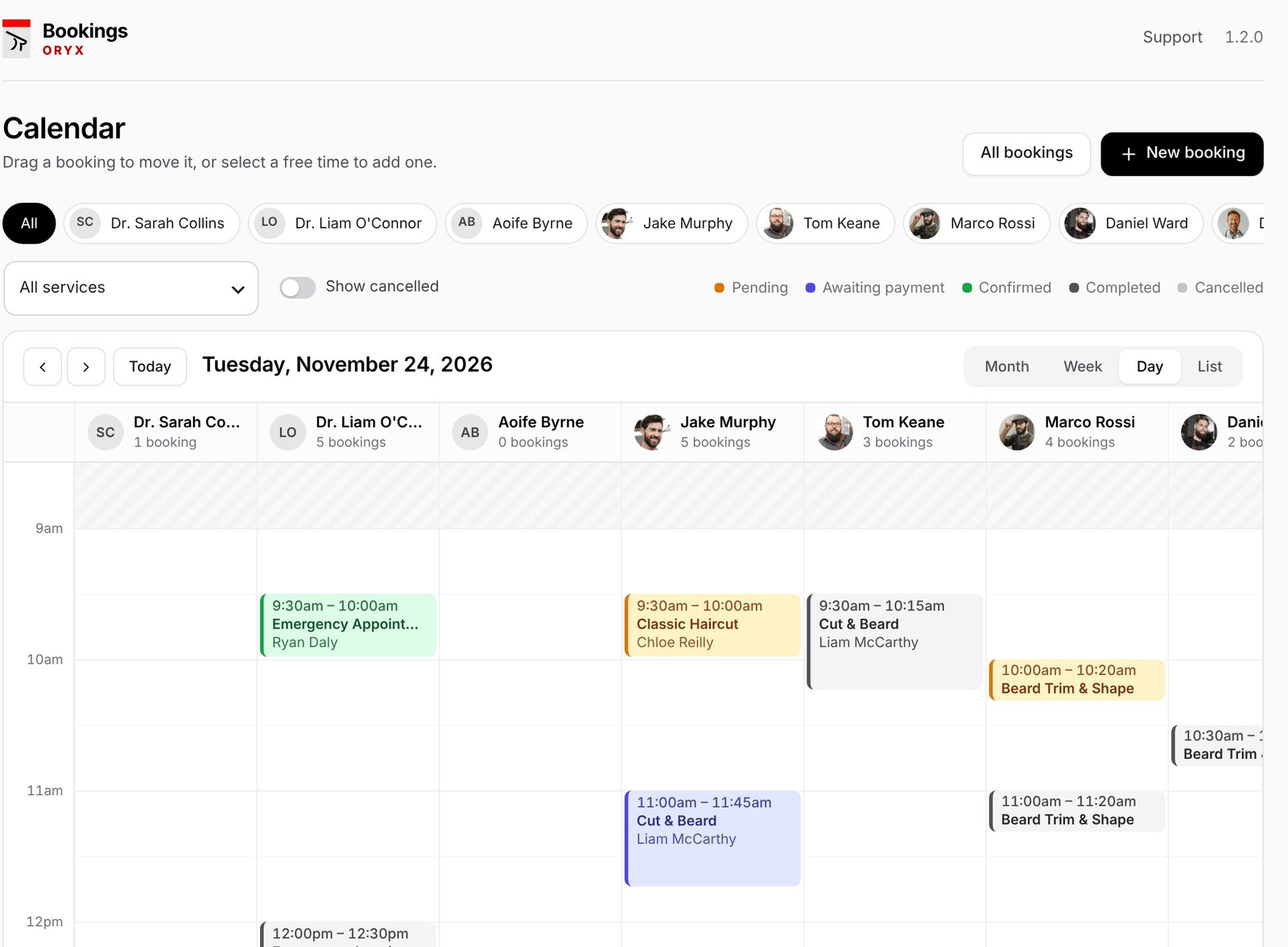
Calendar
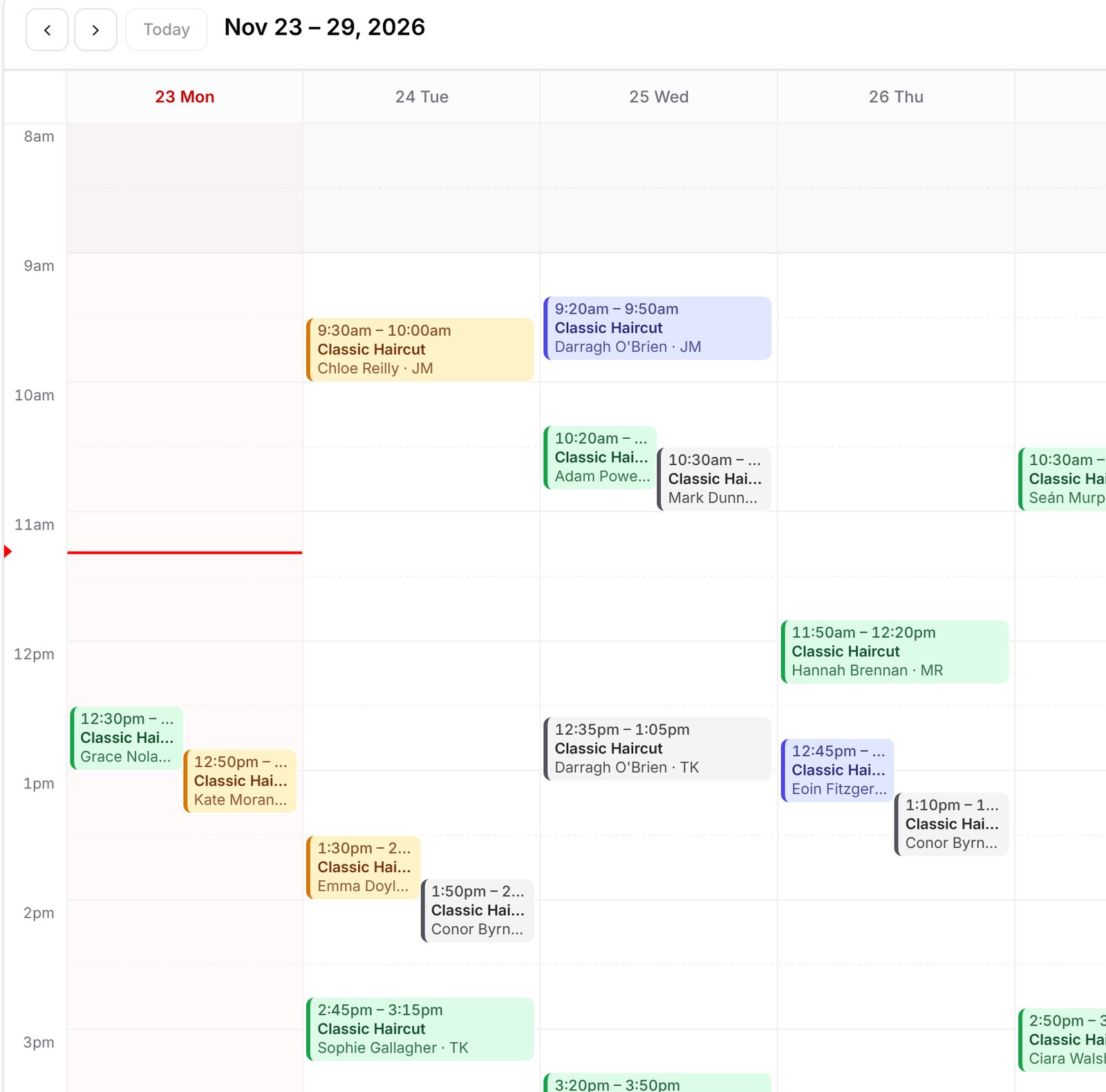
Month, week, day
and list.
Day view gives every team member a column, with their non-working hours shaded. Week and day views show your working hours only, and grow when a booking falls outside them.
- Drag a booking to another time or another person
- Click an empty slot to add a booking there
- Filter by staff member or service, and hide cancelled bookings
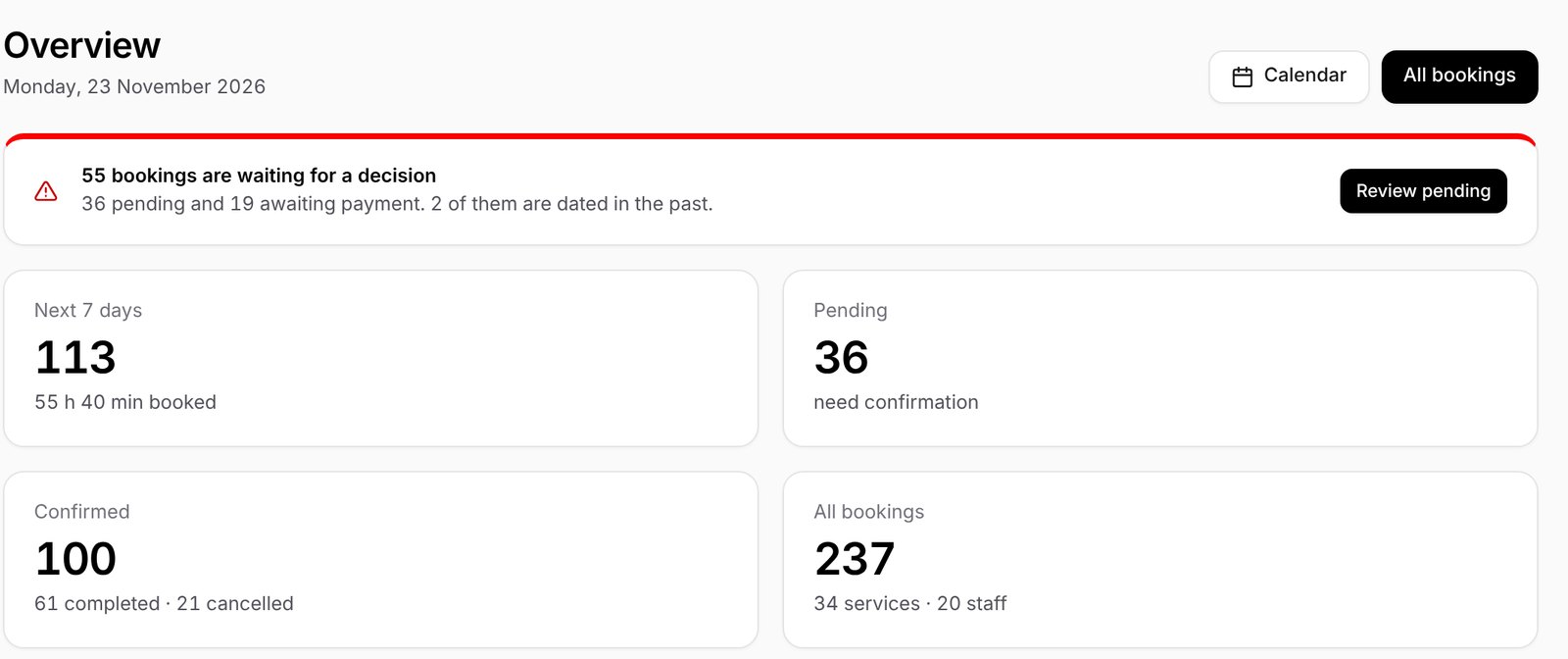
Overview
What needs you,
first thing.
The overview shows the next seven days, the bookings waiting for a decision, including any that are already in the past, and whether setup is complete.
- Counts for pending, confirmed and all bookings
- Your booking form shortcode with a copy button
- Setup status: hours, days off and payments
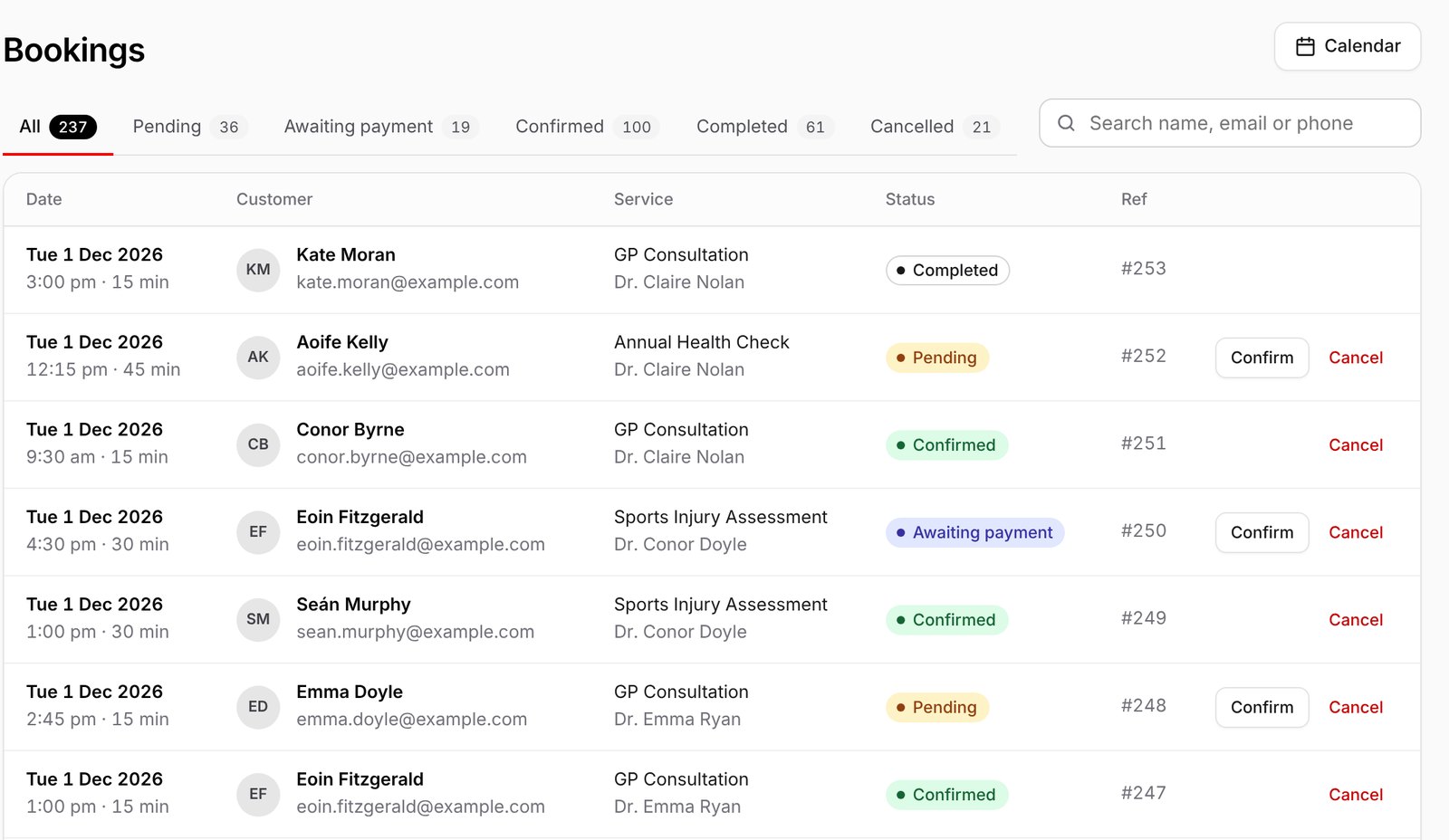
Bookings list
Find anyone
in a second.
Filter by status, search by name, email or phone, and confirm or cancel from the list.
- Pending, awaiting payment, confirmed, completed and cancelled
- Readable dates, durations and references
- Works as cards on a phone
Set it up once.
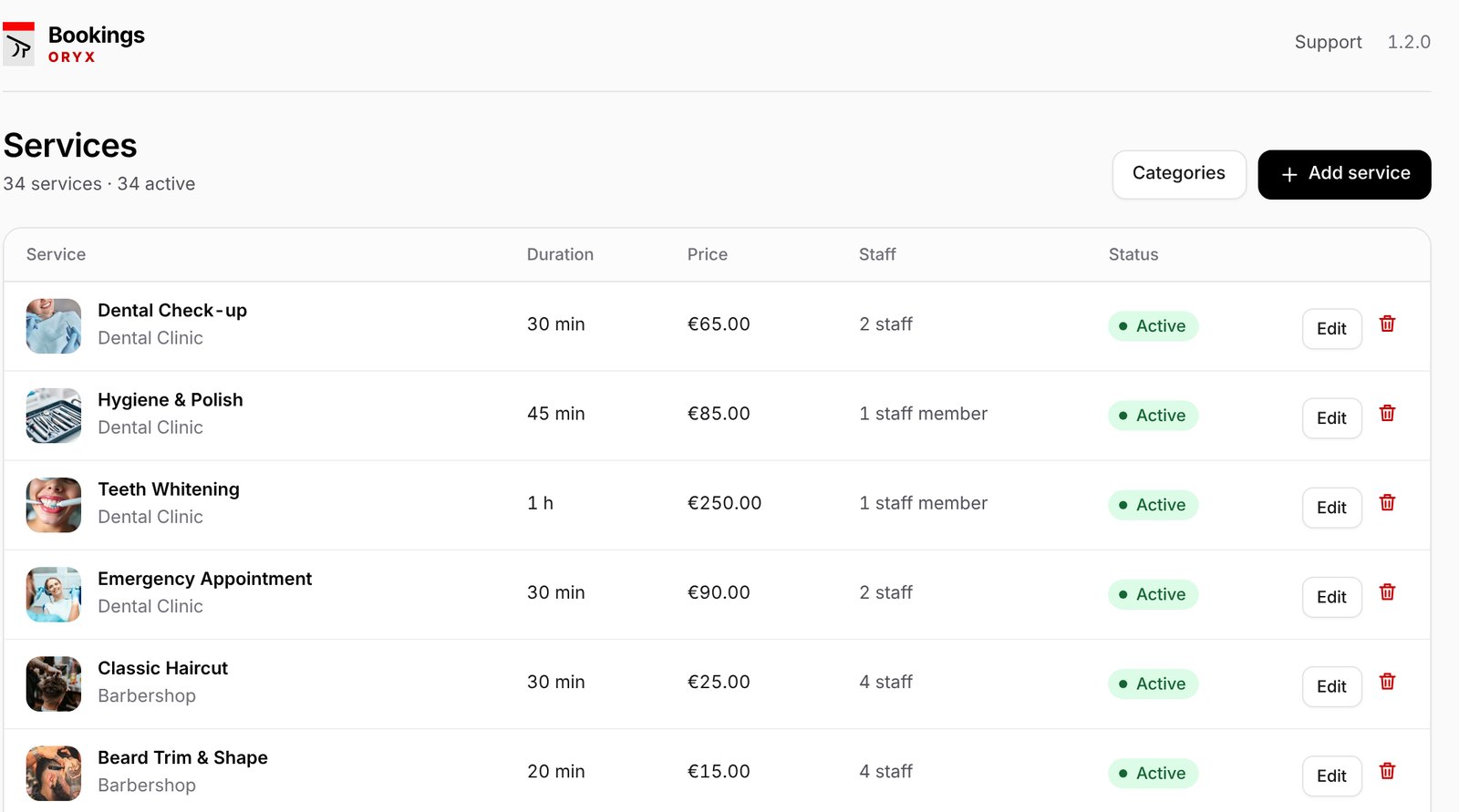
Services with images, durations, prices and categories. Staff with photos, roles and their own schedules.
Free.
No limits, no sign-up.
Install it from WordPress.org, add your services and place the form on any page. Requires WordPress 6.0 and PHP 7.4.