
Six booking forms.
Pick the one that fits.
Every design is built for phones first, shows only real free times and keeps a summary of the booking in view. Try them below: they are live.
Demo form. The business is fictional, so please use a made-up name, email and phone number. Test bookings are deleted every day.
Demo form. The business is fictional, so please use a made-up name, email and phone number. Test bookings are deleted every day.
Demo form. The business is fictional, so please use a made-up name, email and phone number. Test bookings are deleted every day.
Demo form. The business is fictional, so please use a made-up name, email and phone number. Test bookings are deleted every day.
Demo form. The business is fictional, so please use a made-up name, email and phone number. Test bookings are deleted every day.
Demo form. The business is fictional, so please use a made-up name, email and phone number. Test bookings are deleted every day.
Services, team and hours come from the BrightSmile Dental demo.
Choose a time
Only real times.
Grouped the way people think.
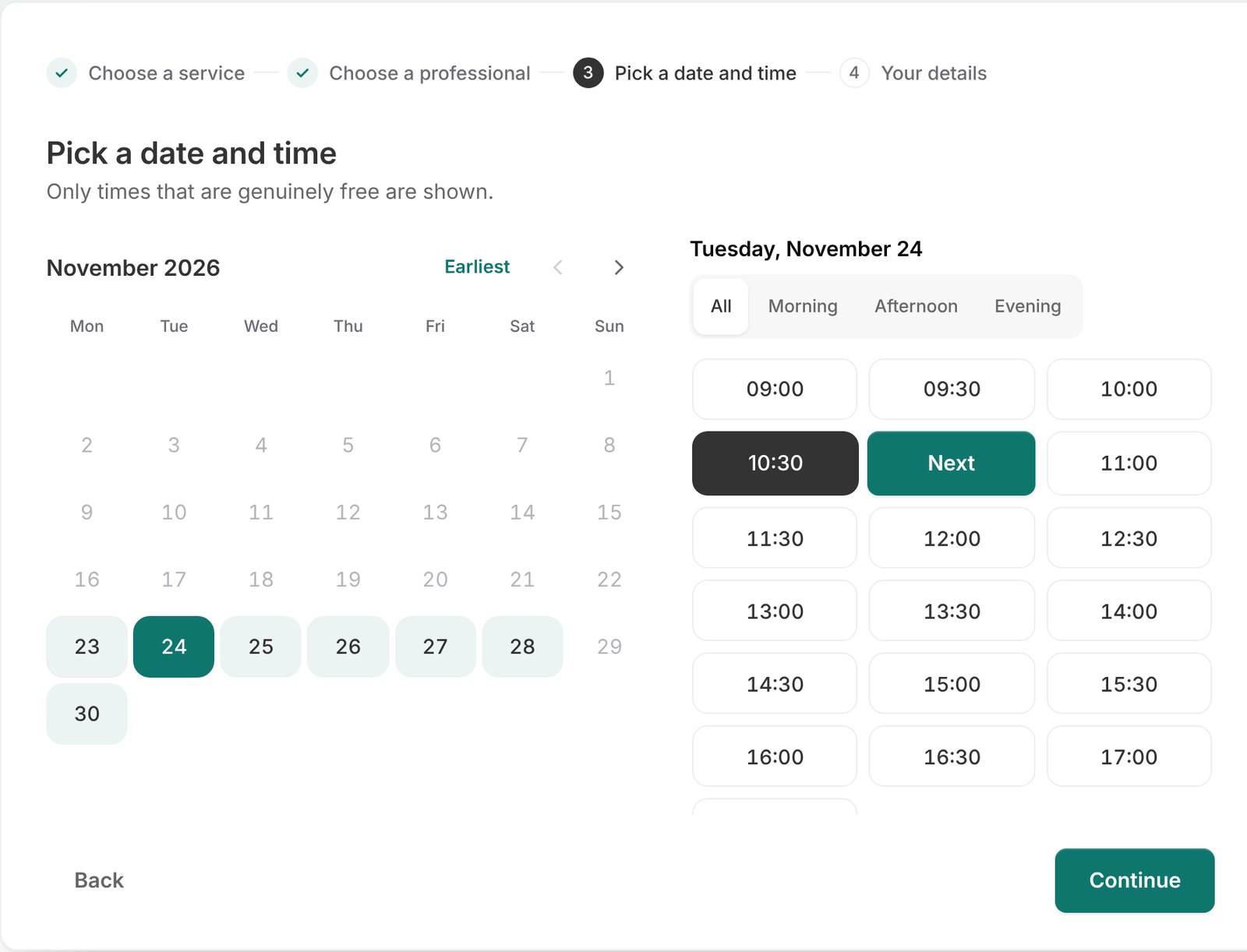
A month calendar on wide screens, a swipeable day strip on phones, and times split into morning, afternoon and evening. “Earliest” jumps to the first free day.
- Unavailable days are greyed out before anyone clicks
- Times follow your site’s time zone and 12 or 24-hour format
- If someone else takes a time while a customer is booking, the form says so and shows what is left
Choose a person
“Any professional”.
Or someone in particular.
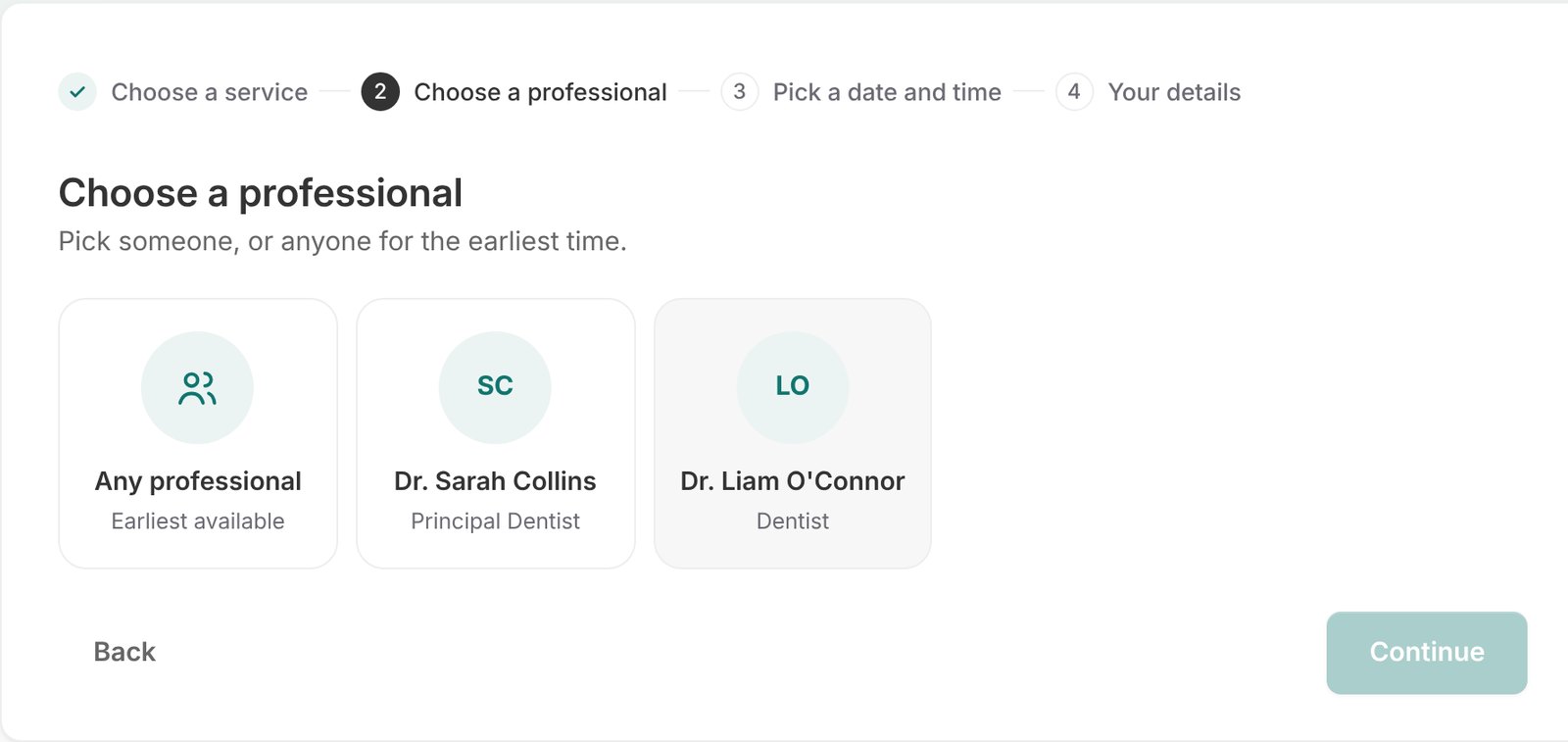
Customers can pick a team member, or let the form find the earliest free time across the whole team. The booking goes to whoever is free.
- Only staff who provide the chosen service are listed
- Photos and job titles from your staff screen
- Service-only bookings skip this step entirely
After booking
A clear confirmation.
And a calendar link.
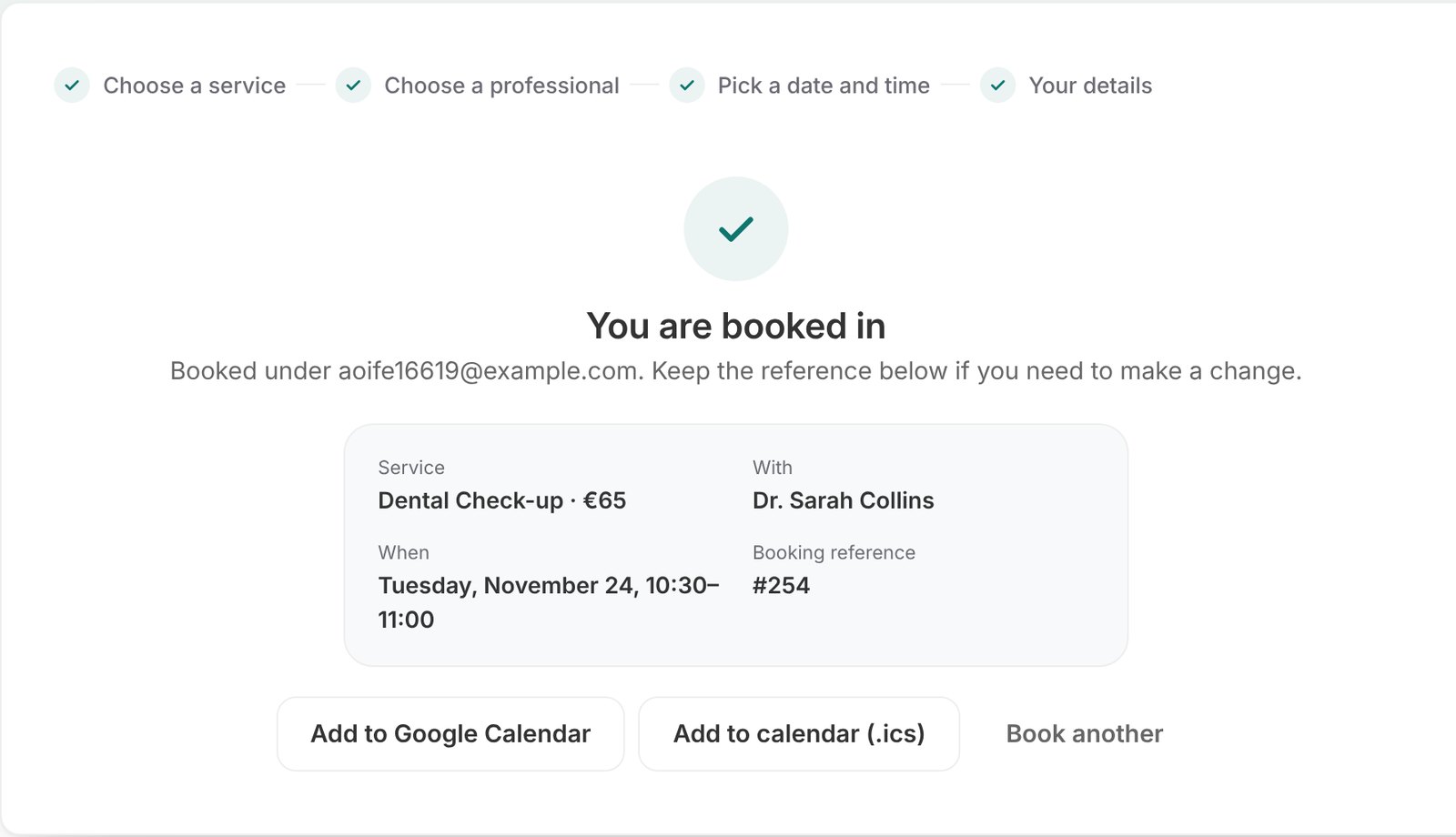
The confirmation repeats the service, person, time and booking reference, with “Add to Google Calendar” and an .ics file for Apple and Outlook calendars.
- Your own success message, with the booking ID
- Optional redirect to a thank-you page
- Nothing is sent to Google unless the customer clicks the link
Made for the thumb.
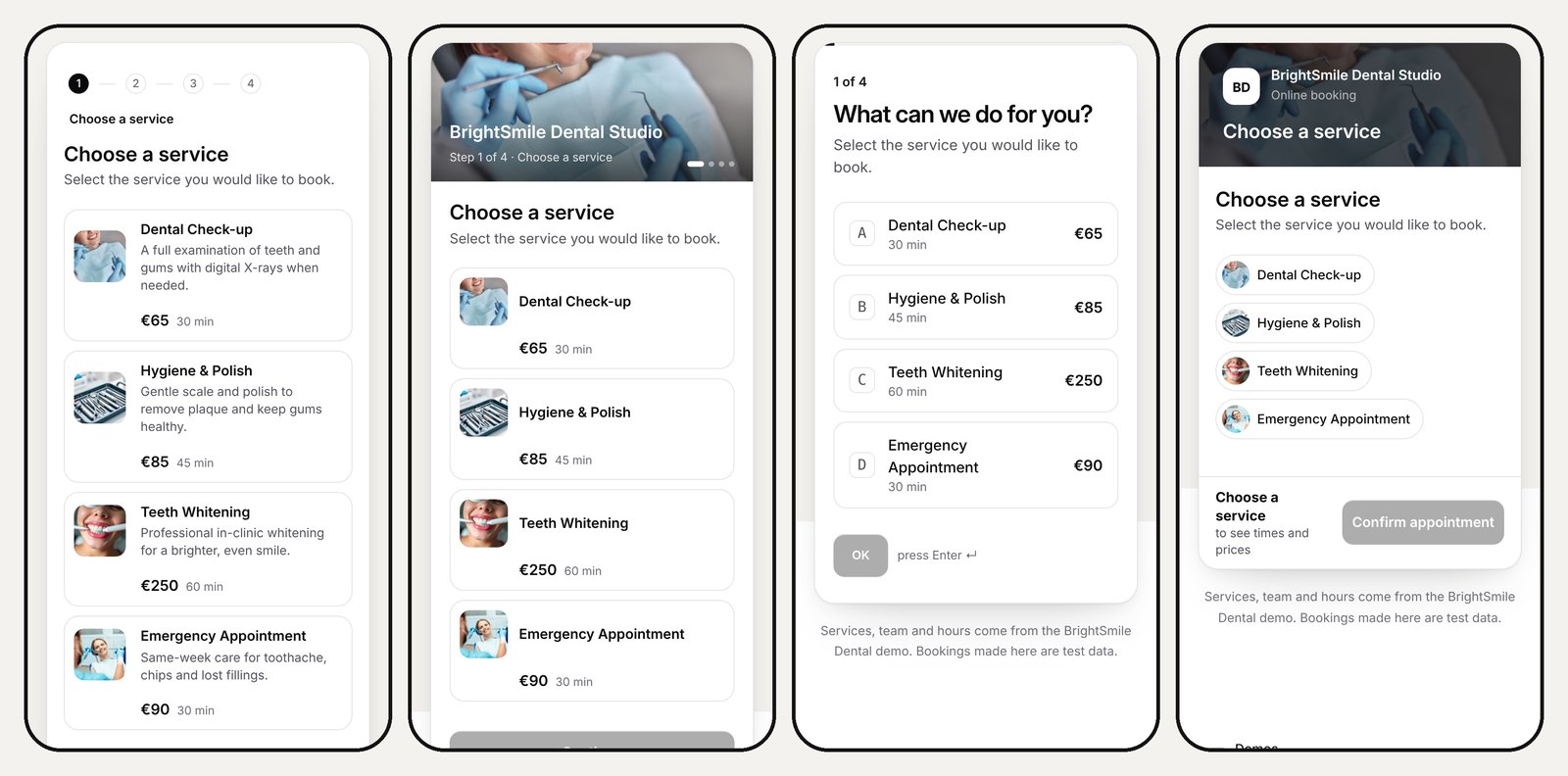
A sticky total and action bar, large touch targets and a day strip you can swipe. Here are four of the designs on a phone.
Same engine.
Six personalities.
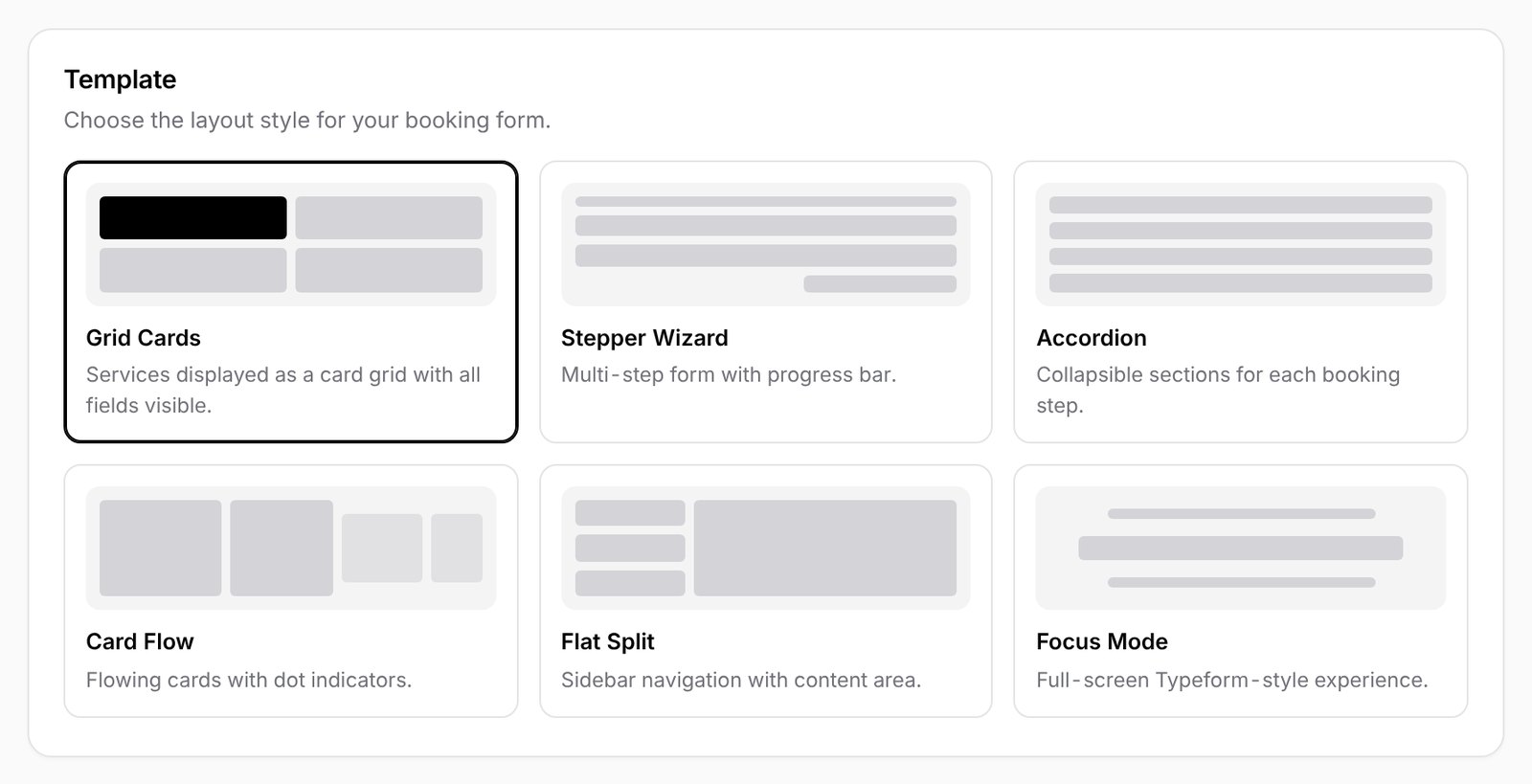
Each one is used by a demo on this site, so you can see it inside a real page.
- StepperOne step at a time with numbered progress. A good default for most sites.DentalPilates
- GridEverything on one page, with the summary beside the form on wide screens.MedicalCar Detailing
- AccordionSteps open one after another, so the customer always sees what comes next.Beauty Salon
- Card FlowA compact card with a cover image, made for sidebars and narrow columns.Barbershop
- Flat SplitA dark summary panel next to the form, for a confident, branded look.Law Firm
- Focus InputOne large question per screen, with keyboard shortcuts.Vet Clinic
Make it yours
Your colour.
Your words.
Pick the design, the brand colour and which details to show. Every label, button and message can be changed, and each block or widget can override the defaults.
- Show or hide images, descriptions, prices, durations and staff photos
- Currency symbol and position, 12 or 24-hour time
- Choose which customer fields are required
Free.
No limits, no sign-up.
Install it from WordPress.org, add your services and place the form on any page. Requires WordPress 6.0 and PHP 7.4.